
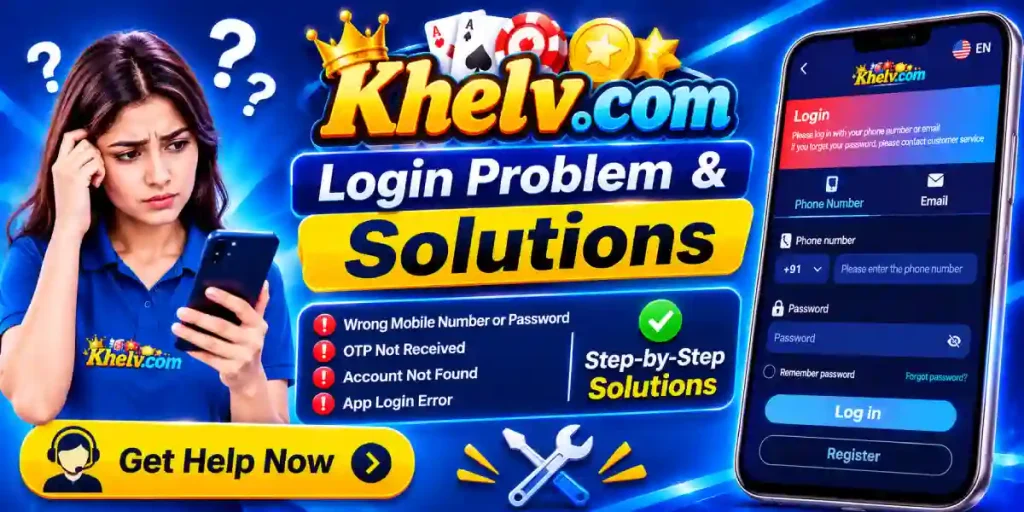
Khelv Game Login Problems and Solutions – Complete Troubleshooting Guide
Accessing your account is an important part of using Khelv Game. However, users may sometimes experience login difficulties due to incorrect credentials, network problems, browser errors, OTP delays, or account verification issues. These problems can prevent users from opening their accounts or accessing available features.
This guide explains common Khelv Game login problems and their possible solutions in simple language. Whether you are facing a password error, a login page that will not load, or an account verification issue, the following troubleshooting steps can help you understand what to check.
Please remember that these are general troubleshooting suggestions. The availability of particular login methods and account recovery options depends on the platform’s current features.
Khelv Game Login Page Not Opening
One common issue is that the Khelv Game login page does not open properly. The page may remain blank, display a loading screen, or show an error message.
Possible Reasons
Temporary Server Maintenance
Slow or Unstable Internet Connection
Browser Compatibility Issues
Incorrect or Outdated Website Address
Cached Browser Data Causing Loading Problems
Solutions
If the Khelv Game login page is not opening, the issue may be related to your internet connection or browser. Try these basic troubleshooting steps:
Check Your Internet Connection
First, make sure your internet connection is working properly. Open another website to confirm that your connection is active.
Refresh the Login Page
If other websites are working, refresh the Khelv Game login page. You can also close your browser and open it again.
Clear Cache and Cookies
If the issue continues, clear your browser’s cache and cookies. This may help resolve problems caused by outdated stored data.
Try Another Browser or Device
Alternatively, open the login page in another updated browser or use a different device to check whether the problem is browser-specific.
Always verify that you are visiting the correct website address. Avoid clicking unfamiliar login links shared through random messages or third-party websites.
Incorrect Username or Password Error
Users may receive an incorrect username or password message even when they believe their login information is correct.
This problem can happen because of typing mistakes, forgotten passwords, or accidentally entering details from another account.
How to Fix It
- Carefully check your registered mobile number, username, or other login ID.
- Make sure the password is entered correctly.
- Check whether Caps Lock is enabled.
- Remove unnecessary spaces before or after the login information.
- Avoid repeatedly submitting incorrect credentials.
If you cannot remember your password, look for an official password recovery option on the login page, if available.
Follow the platform’s verified recovery instructions. Never share your password or OTP with another person claiming to provide account recovery assistance.
Khelv Game OTP Not Received
Some login or registration processes may require OTP verification. Users may experience delays or fail to receive the verification code.
Common Causes
- Weak mobile network signal
- Incorrect registered mobile number
- SMS delivery delays
- Temporary verification service issues
- Repeated OTP requests
Possible Solutions
If you are not receiving the Khelv Game OTP, check your mobile network and registered number first. The following steps may help you identify the issue:
Check Your Mobile Network
Make sure your phone has a stable network connection. Also, confirm that the registered mobile number is correct and can receive SMS messages.
Wait Before Requesting Another OTP
Wait for a short period before trying again. Sending multiple OTP requests quickly may cause confusion or temporary restrictions.
Check Your SMS Settings
Look in your SMS inbox and check the spam, junk, or blocked-message settings to make sure the verification message has not been filtered.
Contact Verified Support
If the OTP still does not arrive, contact the platform’s verified support channel, if available, and explain the issue.
Important: Never share an OTP with anyone. Genuine account verification codes should be entered only into the intended official login or verification page.
Khelv Game Login Failed Due to Internet Problems
A slow internet connection can prevent the login page from communicating properly with the platform.
You may notice that the login button does not respond, the page keeps loading, or an error appears after entering your account details.
Troubleshooting Steps
- Switch between Wi-Fi and mobile data.
- Restart your router if you are using Wi-Fi.
- Move to an area with better network coverage.
- Disable VPN services temporarily if they interfere with access.
- Restart your browser or device.
After changing your connection, reopen the login page and try again.
If the issue continues across multiple networks and devices, it may be related to temporary platform-side problems rather than your internet connection.
Khelv Game Account Locked or Temporarily Restricted
Repeated unsuccessful login attempts may sometimes trigger temporary security restrictions.
Account access may also be affected by verification requirements, unusual activity, or platform security policies.
What Should You Do?
- Stop attempting to log in repeatedly if the account appears locked.
- Check whether the platform displays a specific message explaining the restriction. Follow any official instructions provided.
- If account verification is required, use only the platform’s verified process.
- Contact customer support if the restriction remains unresolved. Provide the relevant error message and basic account information requested through the official support channel.
Do not create multiple accounts to bypass restrictions, as this may violate platform rules.
Khelv Game Login Page Showing a Technical Error
Sometimes users may encounter messages such as:
- Server error
- Connection timed out
- Page unavailable
- Something went wrong
- Request failed
These errors may indicate temporary server issues, browser problems, or an interrupted connection.
Recommended Fixes
- Start by refreshing the login page. If that does not work, clear browser cache and cookies.
- Try using an updated browser such as Chrome or another compatible browser.
- You can also restart your device and check whether the problem continues.
- If the same error appears on different devices and networks, wait for some time before trying again. The platform may be experiencing maintenance or technical difficulties.
Avoid downloading unofficial applications or installing unknown files to fix login errors.
Khelv Game Login Problems on Android
Android users may sometimes experience login difficulties while accessing a website or application.
Possible reasons include outdated software, browser compatibility issues, insufficient storage, or corrupted application data.
Android Troubleshooting Guide
If the Khelv Game application or login page is not working properly, try these basic device and browser troubleshooting steps:
Update Your Browser
Use the latest available version of your preferred browser. An outdated browser may cause loading or compatibility problems.
Restart Your Device
Restarting your mobile phone or computer can help resolve temporary software glitches and network-related issues.
Clear Browser Cache
Open your browser settings and clear cached data. Then reopen the Khelv Game page and check whether it loads correctly.
Check Available Storage
Make sure your device has enough free storage space. Low storage can sometimes affect application performance and installation.
Verify the Application Source
If you are using an APK, check its authenticity and safety before installation. Avoid downloading application files from unknown websites.
Avoid installing modified APK files or applications from unknown sources. Such files may contain security risks or compromise personal information.
Tips to Prevent Future Khelv Game Login Issues
Following a few basic practices may help reduce login problems.
- Save your login credentials securely using a trusted password manager.
- Keep your browser and device software updated.
- Use a stable internet connection.
- Avoid repeatedly entering incorrect passwords.
- Do not share your account credentials with other people.
- Never disclose OTPs, UPI PINs, ATM PINs, CVVs, or banking passwords.
- Use only verified login and account recovery links.
- Avoid accessing your account through suspicious public links.
- Review the platform’s security and privacy policies.
These precautions can help protect your account and reduce unnecessary login difficulties.
When Should You Contact Khelv Game Customer Support?
If none of the troubleshooting steps resolves the problem, contacting customer support may be the next appropriate step, provided an official support channel is available.
Before contacting support, prepare the following information:
- Your registered username or mobile number, where appropriate
- The exact login error message
- The approximate time the problem occurred
- Your device and browser details
- The troubleshooting steps you have already attempted
Do not include your password, OTP, UPI PIN, CVV, or complete banking credentials in your support request.
Always verify the support channel independently. Avoid individuals on social media or messaging apps who promise guaranteed account recovery in exchange for money.
Final Words
Khelv Game login problems can arise for several reasons, including incorrect credentials, network interruptions, OTP delays, browser issues, and account restrictions. Most basic login errors can be investigated by checking your connection, verifying account details, clearing browser data, or using a compatible device.
If the problem persists, use the platform’s verified support channel rather than relying on unofficial recovery services. Protect your personal information, review applicable laws, and remember that this guide is for general informational purposes only.
Frequently Asked Questions
01 Why is my Khelv Game login not working?
Login problems may occur due to incorrect credentials, internet issues, browser errors, account restrictions, or temporary server problems. Check your connection and login details first.
02 What should I do if I forget my Khelv Game password?
Look for an official password recovery option, if available. Follow the verified instructions to recover or reset your account password.
03 Why am I not receiving the Khelv Game OTP?
OTP delivery may be delayed due to network problems, incorrect mobile numbers, or verification service issues. Check your network and wait before requesting another code.
04 Can I fix Khelv Game login problems without downloading an APK?
If the platform provides a compatible website login, you may be able to access it through your browser without installing an application.
05 Is it safe to use third-party Khelv Game login links?
Unknown login links may expose your account information to security risks. Always verify the website address before entering personal information.